Reviewing an Asthma Action Plan App: What a Reviewer Checks Before Trusting It

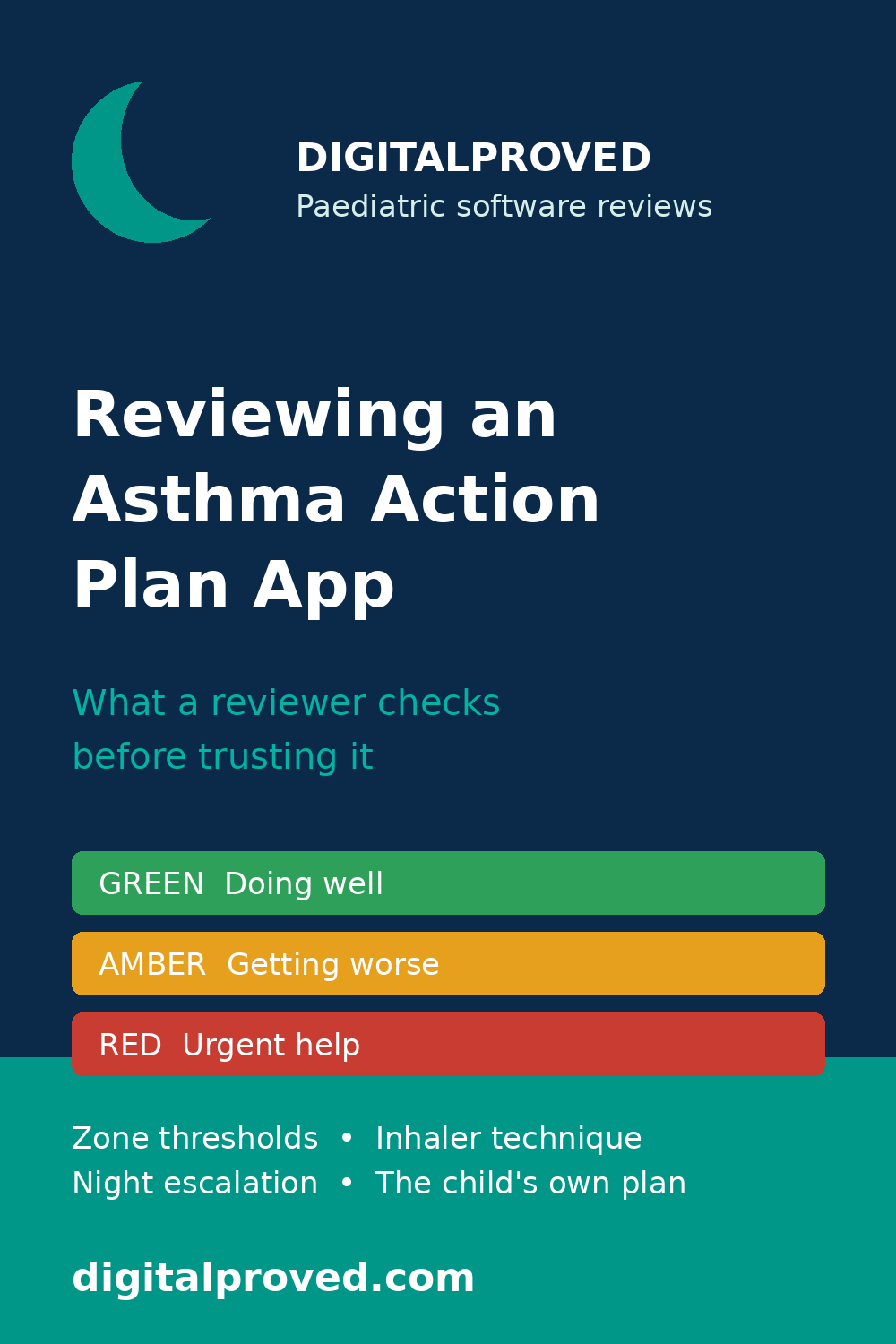
An asthma action plan is a short written document, agreed with the child’s clinician, that says what to do every day, what to do when symptoms worsen, and what to do in an emergency. The Global Initiative for Asthma recommends that children with asthma have a written action plan, and most plans use a traffic-light structure: green for doing well, amber (or yellow) for getting worse, and red for urgent help. A good plan is personal. It names the child’s own medicines, their own triggers, and the thresholds their own clinician set.
An app that holds that plan therefore carries some of the highest-stakes content a family app can hold. A symptom tracker that gets a date wrong is annoying. An action plan app that gets a zone threshold wrong, hides the red-zone instructions, or quietly substitutes generic advice for the child’s own plan can delay urgent care at 2 a.m., when the parent using it is frightened and tired. That is why this kind of app deserves a reviewer’s attention before anyone trusts it — and why the review should start with the plan, not with the app’s design.
This article is a structured review lens for founders, product teams and buyers. It is not medical advice for any individual child, and it does not replace the plan a child’s own clinician wrote.
Table of Contents
- Why the plan matters more than the app
- 1. Zone thresholds a parent can actually follow
- 2. Inhaler technique content, not just inhaler names
- 3. What the app says when symptoms escalate at night
- 4. Does the plan match what the child’s own clinician wrote?
- 5. Who can see the plan, and who can change it?
- 6. The worked example: a plan that looks complete and still fails
- A reviewer’s checklist
- What a review is — and is not
- Frequently asked questions
Why the plan matters more than the app
Most asthma apps demo well. The dashboard is clean, the log is tidy, and the reminders arrive on time. None of that is what a parent reaches for during a flare. What matters then is a single question: does this screen tell me, right now, what to do next — and is that instruction the one my child’s clinician actually gave?
A reviewer should therefore treat the app as a container for a clinical document, and judge it the way a clinician would judge that document. The checks below follow that order: first the clinical content of the plan itself, then how the app presents it under pressure, then who can see and change it.
Our practical review framework for paediatric digital-health applications sets out the same order of operations for any children’s product: clinical accuracy and age-banding first, escalation second, everything else after. An asthma plan app is a good test of whether a team actually follows that order.
1. Zone thresholds a parent can actually follow
The zones are the heart of the plan, and they are where generic content does the most damage. A reviewer should check each zone against three questions.
Can a parent tell which zone the child is in, from what they can see? Green should describe a child with no cough, wheeze, chest tightness or breathlessness, sleeping through the night and able to do usual activities. Amber should name observable changes: coughing or wheezing, waking at night, needing the reliever inhaler more often than usual, or struggling with everyday activities. Red should name the signs that mean urgent help: severe breathlessness, difficulty walking, talking or eating, reliever medicine that is not helping, or lips turning blue. If the app describes zones in clinical shorthand a parent cannot match to what is in front of them, the thresholds are not usable — however accurate they are in principle.
Are the thresholds personal, or copied from a template? Peak-flow thresholds, where the child uses a peak-flow meter, are usually expressed as a share of the child’s personal best — commonly 80 to 100 per cent for green, 50 to 80 per cent for amber, and below 50 per cent for red — but the numbers only mean something when the personal best is that child’s own, set with their clinician, and dated. An app that ships with default thresholds and no prompt to replace them with the child’s own figures is shipping a plan that belongs to nobody. The same applies to symptom thresholds: how often the child may need their reliever before the plan says to seek advice, and how long amber-zone steps should be followed before escalating, should come from the child’s own plan, not from a generic default.
Does each zone end in an action with a time attached? “Take your preventer every day” is a green-zone action. “Follow the amber steps, and if there is no improvement within a stated time, contact your GP or clinician” is an amber-zone action. “Take the reliever as directed and seek urgent care now” is a red-zone action. A zone that describes symptoms without saying what to do, or says what to do without saying by when, leaves a worried parent to improvise at the worst possible moment. That is a finding, not a minor wording issue.
2. Inhaler technique content, not just inhaler names
An action plan that names the right medicines but says nothing about how to take them is only half a plan. Poor inhaler technique is one of the commonest reasons asthma stays uncontrolled, and an app that stores the plan without teaching the technique is storing a document its user cannot fully carry out.
A reviewer should check whether the app shows, for each inhaler the child uses, the device type, the number of puffs, and the technique that goes with that device — including whether a spacer is used, how to use it, and what to do before exercise if the plan says so. Short video or step-by-step images are useful only if they match the child’s actual device; a video for a different inhaler type, presented as if it applied, is worse than no video at all.
Two traps are worth looking for specifically. First, reliever and preventer confusion: the app must keep the two clearly apart in wording, colour and placement, because a parent who reaches for the wrong inhaler in a flare is following the app’s presentation, not its intention. Second, dose display: where the app shows doses, the numbers must match the child’s prescription exactly, with units shown and no silent rounding. Our article on per-domain safety thresholds makes the same point in general terms: a product can look accurate overall while failing in the one small domain — here, dosing — where an error harms a child.
3. What the app says when symptoms escalate at night
Asthma does not keep office hours, and the review should not either. Test the app the way a parent will actually use it: at night, with one hand, half asleep, while a child is coughing.
Three checks matter most. First, can the parent reach the red-zone instructions in one or two taps from anywhere in the app, without logging in again, dismissing a reminder, or scrolling past a dashboard? Second, does the app say what to do if the reliever is not helping — including when to call emergency services — in plain language, on the same screen, rather than behind a link to a general information page? Third, does the app record what happened, so the parent can tell the clinician the next day what was given and when? A log that only records that a reminder fired, and not what the parent actually did, is of little use to the clinician reviewing the flare.
A related check: what does the app do when it has no signal? If the plan is only available online, a parent in a house with poor reception — or on a night out, or at school — may not be able to open it at all. An action plan that cannot be read offline is not available in the moment it is needed. Ask the team to demonstrate the red-zone screen with the phone in flight mode.
4. Does the plan match what the child’s own clinician wrote?
This is the check that separates a review from a usability test. An app can be beautifully designed and still carry a plan that contradicts the child’s own clinician’s instructions — because the plan was typed in by hand, imported from an old paper copy, or auto-filled from a template during onboarding.
A reviewer should ask for the audit trail: who entered each part of the plan, when, and from what source? Is there a way to compare the app’s version against the paper or clinic-issued plan, line by line? Does the app flag when the plan is out of date — for example, when the prescription has changed but the plan has not — or does it silently keep showing last year’s thresholds?
Where the app allows the plan to be edited, check who may edit it and what happens to the old version. A parent should be able to correct a typo; a parent should not be able to change a dose or a threshold without that change being visible, dated, and ideally confirmed with the clinician. And where the app offers to generate a plan from a questionnaire, treat that as a clinical claim: the generated plan must be reviewed and approved by the child’s clinician before it is presented as their plan, and the app should say so plainly rather than presenting the generated text as finished.
5. Who can see the plan, and who can change it?
An asthma plan is shared by design: parents, grandparents, school staff, childminders and sports coaches may all need to see it. That sharing is a feature — and a review point.
Check who has access by default, and whether the parent can see the full list. Check whether a school version can be shared without sharing the child’s full medication history or other health information the school does not need. Check what happens on a shared family device, and what happens when a household changes — for example, after a separation, when one parent’s access should change. And check the consent trail: who agreed to share the plan, and can that consent be withdrawn?
These are the same data, consent and safeguarding questions our framework article raises for any paediatric product, and they matter more here because the document being shared is a clinical instruction. The seven paediatric risks adult-focused digital-health teams commonly miss covers the shared-device and consent patterns in depth; an asthma plan app is where those patterns stop being theoretical.
6. The worked example: a plan that looks complete and still fails
The following example is illustrative, built to show how the checks above fit together — not a review of any real product or child.
A founder demonstrates an asthma plan app for an eight-year-old. The dashboard is tidy. The plan has three zones, each with symptoms and medicines. The parent has logged inhaler use for a month. On the surface, it passes.
A reviewer runs the checks. The green zone says “peak flow 80 to 100% of personal best” — but the personal best was entered during onboarding and never dated, and the child’s prescription has changed twice since. The amber zone says “take reliever as needed and contact your clinician if not improving” — with no time frame, so “if not improving” could mean an hour or a day. The red zone is three taps away, behind a menu labelled “More”. The inhaler section names both inhalers but shows the same technique video for both, even though one is used with a spacer and the other is not. The plan was typed in by a parent from a paper copy two years old, and the app has no way to show that — or to compare it with the current clinic-issued plan.
None of these is a catastrophic single failure. Together, they mean the app is presenting an out-of-date, partly generic plan through a design that hides the urgent instructions. The review finding is not “the app is bad”. It is a prioritised list: date and verify the personal best and thresholds against the current clinic plan; add a time frame to the amber-zone escalation; move the red-zone instructions to one tap; correct the technique content per device; and add a visible “plan last verified” date. That is what a useful review looks like: specific, ordered by risk, and testable on re-review.
A reviewer’s checklist
- Zones are observable. Each zone names signs a parent can see and count, not clinical shorthand.
- Thresholds are the child’s own. Peak-flow figures, reliever-use limits and escalation time frames come from the child’s own clinician-written plan, are dated, and are flagged when out of date.
- Every zone ends in an action with a time. No zone describes symptoms without saying what to do and by when.
- Technique matches the device. Each inhaler has its own technique content, spacer included where prescribed, and reliever and preventer are kept clearly apart.
- Red is one tap away, offline. Red-zone instructions are reachable in one or two taps from anywhere, readable without a connection, and name emergency help plainly.
- Night use is tested. The escalation path has been walked through at night, one-handed, by a tired parent — not only in a daytime demo.
- The plan matches the clinic’s plan. There is a dated audit trail for who entered the plan and from what source, and a way to compare it with the current clinic-issued version.
- Sharing is visible and limited. The parent can see who has access, share a school version without oversharing, and withdraw access.
What a review is — and is not
This is clinical-content and product-safety review: it checks what a product says and does against current guidance and good practice. It is not regulatory approval, certification, or a guarantee that a product is safe. Whether an asthma plan app needs regulatory assessment, and under which framework, is a separate question for qualified regulatory advisers. A review can find a product wanting; it cannot approve one. And nothing in this article is medical advice for any individual child: a child’s asthma plan is written by their own clinician, and any change to it should be agreed with that clinician.
Sources that informed this article: the Global Initiative for Asthma (GINA) Global Strategy for Asthma Management and Prevention, which recommends a written asthma action plan for children; NICE guideline NG80, Asthma: diagnosis, monitoring and management; and the British Thoracic Society / SIGN British guideline on the management of asthma. Thresholds and zone structures described here are the commonly used patterns from those sources; the figures that matter for any individual child are the ones their own clinician wrote into their plan.
Frequently asked questions
Q1: What is an asthma action plan, in one sentence?
A: A short written plan, agreed with the child’s clinician, that says what medicines to take every day, what to do when symptoms worsen, and what to do in an emergency — usually organised into green, amber and red zones.
Q2: What should a reviewer check first in an asthma plan app?
A: Whether the zones are the child’s own. Check that the thresholds, medicines and escalation time frames match the child’s current clinician-written plan, are dated, and are flagged when out of date. If that fails, the app’s design does not matter.
Q3: Can an app generate an asthma plan from a questionnaire?
A: It can draft one, but a generated plan is not the child’s plan until their own clinician has reviewed and approved it. An app that presents generated text as a finished plan, without that step, is making a clinical claim it has not earned.
Q4: Why does offline access matter for an action plan?
A: Because flares happen at night, at school, and in places with poor signal. If the red-zone instructions cannot be read without a connection, the plan is not available in the moment it is needed.
Q5: Does a good review mean the app is safe to use?
A: No. A review checks the product’s content and behaviour against evidence and good practice at a point in time. It is not regulatory approval, certification, or a guarantee of safety, and it does not replace the child’s own clinician’s advice.
Building a healthcare-AI or pediatric digital-health product? DigitalProved provides an independent review of clinical content, patient-safety risks, escalation advice and user communication. Receive a prioritised written report and recorded walkthrough within five working days. Request a Product Review